Updating
Overview
Tala WTE updates itself from the console: one click in Settings downloads the verified binary, swaps it in place, and restarts the service. If you run a pack, the leader can push the same update to every member in one step. There is no manual download or command line for routine updates.
See Settings for the rest of the box-level configuration and The Pack for fleet management.
In-app updater (Settings -> Software Updates)
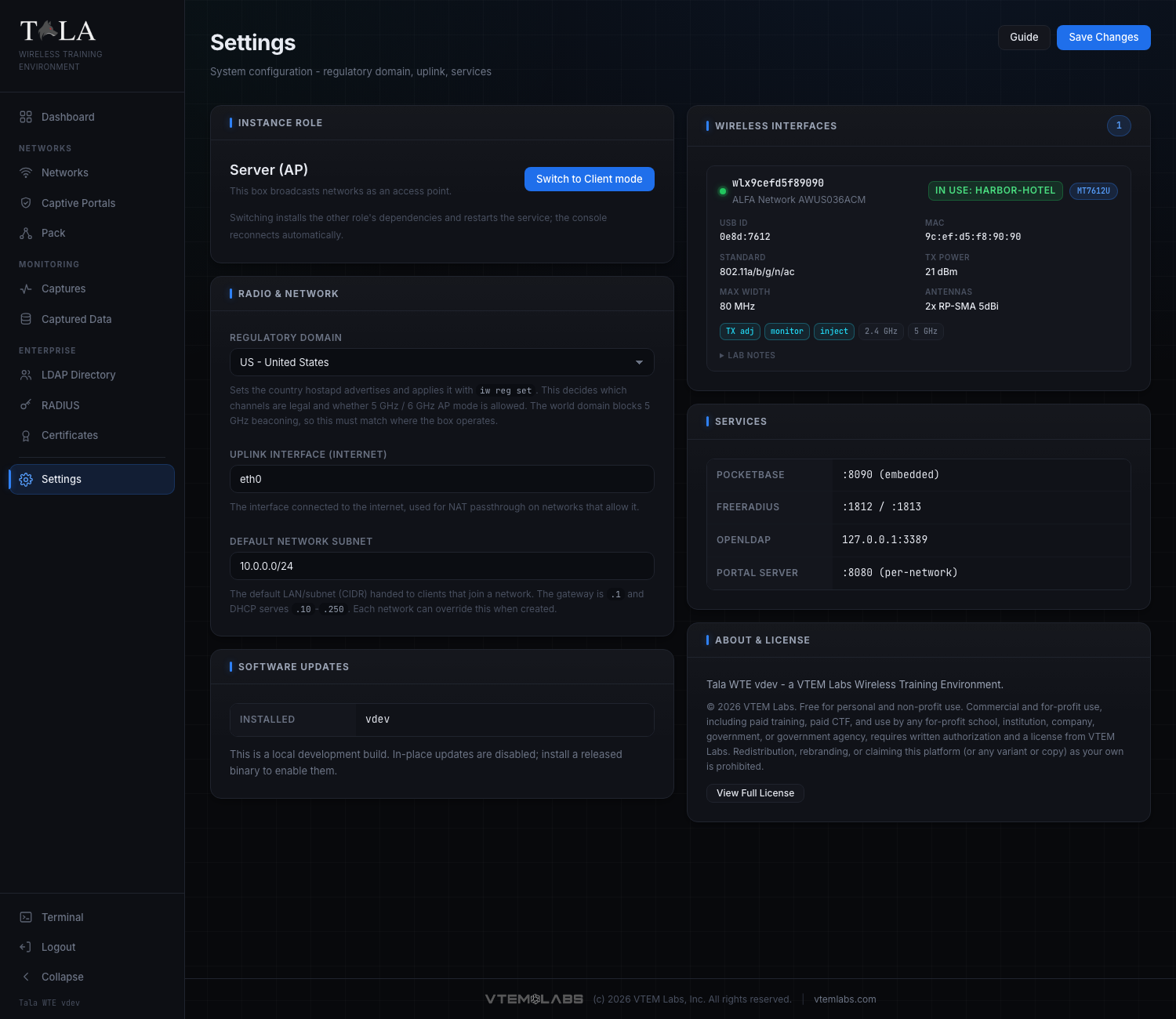
Tala WTE checks GitHub for newer releases and surfaces them on the Settings page under Software Updates. A dot also appears on the Settings nav item when an update is available.
The panel shows the installed and latest versions. When a newer release exists you get an Update available badge, a Release notes link, and a one-click Update button.
Clicking Update (verified against cmd/server/update.go and internal/updater):
- Downloads the architecture-matched release binary.
- Verifies it against the release checksums (a download or checksum failure aborts the update and is reported, with the current binary untouched).
- Replaces the service binary in place and schedules a service restart.
- Returns a confirmation to the browser before the service bounces; the console reconnects on its own once the new version is up.
Give it up to a few minutes on a slow uplink (the download has a generous independent window). The version check itself is non-fatal: if GitHub is unreachable, the panel still shows your current version rather than erroring.
Development builds disable in-place updates. An untagged local build (version dev) cannot self-update; the updater refuses with "in-place update is disabled for local dev builds". Released binaries (built from a vX.Y.Z tag) update normally. For a dev box, reinstall the new binary instead (see Installation).
You never download or copy a binary by hand for a normal update. The appliance pulls and applies the release itself.
Update all members (the Pack)
If a server is acting as a pack leader, it can update its whole pack in one step so the leader and its clients stay on matching versions. On the The Pack page, Update all members tells every reachable member to pull and apply the same update.
How it works: members that can reach GitHub update themselves; for members that cannot, the leader downloads the release once and streams the binary to each over the agent channel. The member verifies the architecture and the SHA-256 checksum of the pushed binary before swapping it in and restarting, so a mismatched or corrupt push is rejected rather than installed. Each member's console reconnects on its own after its restart.
Because both flows verify the checksum before swapping, a failed or interrupted update leaves the existing binary in place rather than bricking the box.